
LEDGER CRYPTO WALLET
Take control of your crypto today
Advanced trader? Total beginner? Now you can buy, swap, and more with 15,000+ multichain assets in one secure solution.
Choose the signers that fit your lifestyle

Hardware wallets explained
Hardware wallets explained
Hardware wallets explained
Hardware wallets explained
Hardware wallets explained
Hardware wallets explained
Hardware wallets explained
Hardware wallets explained
Understand the concept of hardware wallets and why they are considered the best option to protect your crypto. Let us guide you to what a hardware wallet is, how it works, and a step-by-step guide on how to use a hardware wallet.
What is a hardware wallet?
A hardware wallet is a physical device that stores your private keys on a Secure Element. The Secure Element also drives the device’s screen to ensure that a transaction can't be tampered with.
When you want to clear sign a transaction, the Ledger Secure OS decodes the transaction details and displays it in a human-readable format so that you know what you're signing.
How do hardware wallets work?
Hardware wallets use Secure Element chips that are also used for credit cards and passports. The chip generates and stores your private keys and prevents physical attacks. Hardware wallets also contain an operating system (OS) that is responsible for running the apps. When setting up your hardware wallet, you'll have to set your PIN code and write down your seed phrase. Then you can sign or reject transactions with your hardware wallet.
Why Do Private Keys Matter?
Private keys are unique strings of letters and numbers that allow you to access your digital assets. Cryptocurrencies are not stored within the crypto wallet itself but on the blockchain. Private keys are crucial to the security and ownership of your crypto, as they are the only way to prove that you are the rightful owner of your digital assets. Therefore, your private keys must be kept secret and secure at all times. Hardware wallets provide a secure way to store and manage your private keys, keeping them offline and out of reach of online threats.
How to use a hardware wallet?
1. Choose and buy a hardware wallet
Buy a hardware wallet from reputable manufacturers and authorized resellers. Ensure that your hardware wallet is sealed and tamper-proof.
2. Download the hardware wallet companion app
Connect your hardware wallet to the hardware wallet companion app you downloaded. Follow the instructions to set up your hardware wallet. Write down your seed phrase and choose a PIN.
3. Deposit crypto into your hardware wallet address
Deposit crypto into your hardware wallet address by receiving crypto from an exchange or another crypto wallet. You can also buy crypto with third-party on-ramp providers on Ledger Live.
Why do millions choose this crypto wallet app?
Top up & transfer
Choose how you want to fund your accounts: Buy, Sell, Send, Receive: crypto, $ or €.
Connect to dApps
Navigate the DeFi landscape seamlessly from a single, secure space.
Diversify your assets
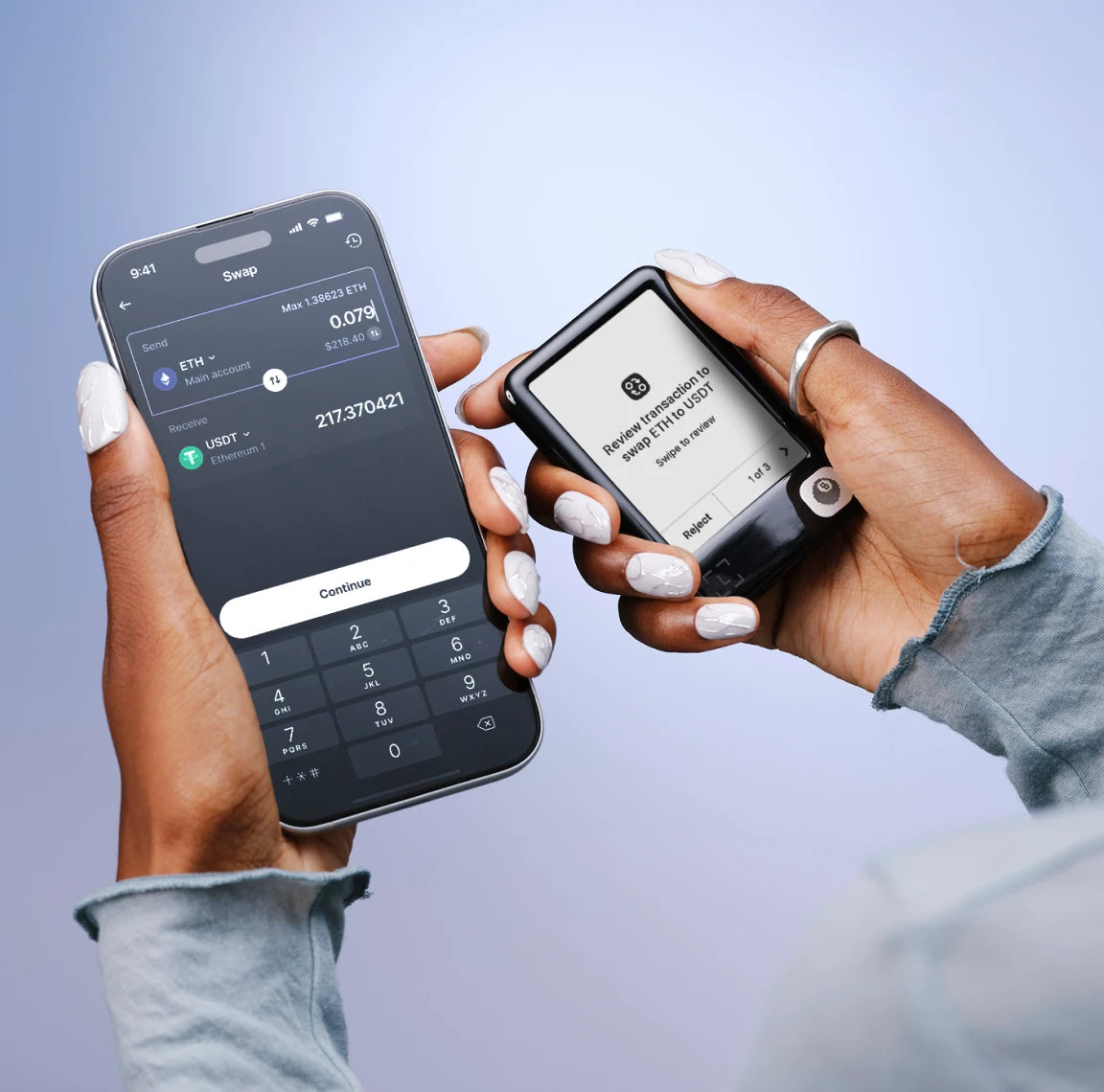
Swap securely across chains, CEX, DEX. Compare providers with clarity.
Grow your portfolio
Put your crypto to work for you while maintaining ownership. Earn staking rewards with ease.
The switch is simple
Move your crypto in minutes from online exchanges and software wallets over to your secure Ledger Wallet accounts
Set up your signer
Purchase the secure Ledger signer that best suits your lifestyle. Install the Ledger Wallet app. Pair your device using the secret code.
Create local accounts
In the secure Ledger Wallet app, create local accounts for all your existing cross-chain assets.
Migrate & top up
Send your existing assets to your newly created Ledger Wallet accounts and start using them instantly with confidence & ease.
Frequently Asked Questions
A crypto wallet is a digital tool that allows users to store, manage, and interact with cryptocurrencies such as Bitcoin, Ethereum, and many others. It plays a crucial role in the cryptocurrency ecosystem, enabling users to securely manage their digital assets and perform various transactions.
Crypto wallets come in various types, each offering different levels of security, convenience, and functionality.
The most secure crypto wallets are physical devices called hardware wallets, designed to enhance the security of your private keys by securely storing them offline. These crypto wallets physically store your private keys within a chip inside the device itself.
A non-custodial wallet, also known as a self-custodial wallet (enter the infamous crypto term ‘self-custody’) is a crypto wallet that puts you in complete control of your public and private keys.
How so? Instead of entrusting your keys to a third-party, non-custodial wallets give you, the wallet’s owner, the exclusive responsibility of securing your private keys and wallet.
A non-custodial wallet is a direct link to your blockchain address without any dependence on another entity, eliminating the possibility of asset confiscation.
Non-custodial wallets are completely controlled by you and you alone, meaning they are censorship-resistant and also have no transaction limits. In other words, a non-custodial wallet is your one-way ticket to financial freedom.
A Web3 wallet is essentially your digital keychain for the new internet era—Web3. It’s your all access pass to the decentralized world. Instead of relying on classic institutions like banks to manage your online currencies, a Web3 wallet puts you, and you alone, in control.
Beyond holding your cryptocurrencies, it also lets you interact with cool decentralized apps. Want to trade unique digital items or play games without a middleman? Your Web3 wallet is the go-to tool.
Web3 wallets are extremely user friendly, letting you log in and navigate decentralized apps with ease all while keeping your private keys safe. Think of it as your digital superhero cape—giving you power and security in the wild, wild Web3.
Ledger hardware wallets use applications to manage your cryptocurrencies. These apps can be installed onto your crypto wallet by connecting it to Ledger Wallet™ (formerly Ledger Live™). Follow these simple steps to start using apps with your Ledger crypto wallet:
1. Make sure you have Ledger Wallet™ (formerly Ledger Live) installed. If you don’t, you can download it from the official Ledger website.
2. Connect Your Ledger Device. Use the provided USB cable to connect your Ledger crypto wallet to your computer or mobile device.
3. Unlock Your Ledger Device. Enter your PIN code to unlock your Ledger device.
4. Open Ledger Wallet™ (formerly Ledger Live™). Open the Ledger Wallet™ application on your computer or mobile device.
5. Access the “My Ledger” section. In Ledger Wallet, go to the “My Ledger” section. This is where you can manage and install apps on your Ledger device.
6. Choose the App. Find and choose the app for the cryptocurrency or service you want to use. For example, if you want to use a Bitcoin wallet, select the Bitcoin app.
7. Install the App. Click on “Install” to install the selected app on your Ledger device. Follow the on-screen instructions.
8. Open the App on Your Device. After installation, navigate to the app on your Ledger device and open it.
9. Interact with the App. Use the buttons on your Ledger device to navigate and interact with the app. For example, you can send or receive transactions, check balances, and perform other actions depending on the app’s functionality.
10. Disconnect Safely. Once you’re done using the app, safely disconnect your Ledger device from your computer or mobile device.
The best crypto wallet for mobile phones is the Ledger crypto wallet. This is thanks to the fact that Ledger Wallet™ (formerly Ledger Live™) is designed to work seamlessly with Ledger hardware wallets plugged into your mobile phone using the provided USB cable.
Ledger Wallet™ is the official mobile app for users of Ledger hardware wallets. It provides a secure way to manage and view cryptocurrency balances on the go directly from your mobile device.
Ledger crypto wallets are widely known as the best crypto wallets for desktop users, particularly due to the uncompromising value they place on both security and user-friendliness.
The Ledger Wallet™ (formerly Ledger Live™) crypto wallet application has a user-friendly interface that makes it easy for users to manage their cryptocurrency portfolios, providing a seamless integration for Ledger hardware wallets.
The application is designed to be intuitive, providing clear options for viewing balances and managing accounts.
The Ledger Wallet™ app (formerly Ledger Live™) is a safe and easy interface for managing your cryptocurrencies using your Ledger device.
Unlike most apps, the Ledger Wallet™ crypto wallet app keeps your data directly on your phone or computer, so there’s no need to sign in using an email and password. All that’s required is your Ledger device and of course, you.
Ledger Wallet™ (formerly Ledger Live™) is designed as the trusted companion for your Ledger crypto wallet device. It serves as a user-friendly interface where you can seamlessly manage all your crypto assets and currencies in one secure place.
Get started by simply connecting your Ledger device to your desktop or mobile phone using the provided USB cable. Once you’re connected, you’ll have a clear view of your cryptocurrency portfolio and access to account management and transaction histories. Within the Ledger Wallet™ app, you can also send and receive crypto currencies, track your portfolio and access all sorts of nifty decentralized apps.
To download and install the Ledger Wallet™ app (formerly Ledger Live™), follow the steps below. Do please keep in mind however that some specific steps may vary slightly according to your your operating system (Windows, macOS, Linux) or device (computer or mobile).
Go to the official Ledger website and click on Ledger Wallet™. Click on the “Download Ledger Wallet” button, which will redirect you to the download page, and click “Download.”
Select Your Operating System, choosing the appropriate version for your operating system (Windows, macOS, or Linux). Download the installer file and run it, following the on-screen instructions until complete.
Connect you Ledger device to your computer using the provided USB cable. Open Ledger Wallet, launching the Ledger Wallet application on your computer. Complete your setup by following the on-screen instructions to set up and configure Ledger Wallet. Here you will have the opportunity to either create a new account or restore an existing one.
Now it’s time to install Apps on your Ledger device! In Ledger Wallet™, navigate to the “My Ledger” section. Install the apps for the cryptocurrencies you wish to manage on your Ledger device.
Have fun!
Coins refer to any cryptocurrency that has an independent blockchain — like Bitcoin. Put simply, if the cryptocurrency runs on its own blockchain, then it is a coin. This native coin is what you use for paying transaction fees and participating in the network, and what network participants receive in return for keeping that network secure.
The Ledger Wallet™ (formerly Ledger Live™) crypto wallet app supports Bitcoin (BTC), Ethereum (ETH), Ripple (XRP), Litecoin (LTC), Bitcoin Cash (BCH), Polkadot (DOT), Chainlink (LINK), Cardano (ADA), Stellar (XLM), Solana (SOL), Tezos (XTZ) and more. It also supports various ERC-20 tokens and other popular cryptocurrencies.
The Ledger Wallet™ (formerly Ledger Live™) crypto wallet app platform is regularly updated to include support for new coins and tokens, so it’s a good idea to check for the latest information on the official Ledger website or within the Ledger Wallet application itself.
For a comprehensive list of supported coins, networks and tokens, feel free to click here